- File
-
Designs
-
-
All Categories -
Category #1 - New Category
-
My designs
-
- Share
-
Help
-
PrintPire Help Center
- ctrl+a
Select all objects
ctrl+d Double the activate object
ctrl+e Clear all objects
ctrl+s Save current stage to my design
ctrl+o Open a file to import design
ctrl+p Print
ctrl++ Zoom out
ctrl+- Zoom in
ctrl+0 Reset zoom
ctrl+z Undo changes
ctrl+shift+z Redo changes
ctrl+shift+s Download current design
delete Delete the activate object
← Move the activate object to left
↑ Move the activate object to top
→ Move the activate object to right
↓ Move the activate object to bottom
shift+← Move the activate object to left 10px
shift+↑ Move the activate object to top 10px
shift+→ Move the activate object to right 10px
shift+↓ Move the activate object to bottom 10px ✅ Accepted formats: PNG, JPG, SVG, PDF
✅ Maximum file size: 80MB
✅ Recommended resolution: 300 DPI for sharp print quality
✅ For logos: Transparent backgrounds (PNG) work best
⚠️ Keep designs inside the safe print area.
⚠️ Avoid blurry or low-resolution images.
⚠️ Colors may vary slightly from your screen to the final print.
⚠️ For embroidery, use bold fonts and solid shapes (thin lines may not stitch well).
Q: How do I save my design?
A: Click the Save button before adding to cart.Q: Can I edit after ordering?
A: Contact us before production begins for changes.Q: Do you keep my designs?
A: Yes, saved designs are stored in your account.If you need help, we’re here for you:
📧 Email: support@printpire.com
📞 Phone: 202-702-2871
💬 Chat: Available on our website

© 2025 PrintPire LLC.
All Rights Reserved.
Need help? Contact support@printpire.comPowered by Lumise version 2.0.6
-
- Shop
- Undo
- Redo
-

-
English
-
 Spanish
Languages
-
- 0.0
-
My Cart
- Back To Shop
- Design
- Product
- Templates
- Cliparts
- Images
- Text
- Shapes
- Layers
- Distress
Click or drag to add text










Bug Reporting
Please let us know if you find any bugs on this design tool or just your opinion to improve the tool.
Tips: If you want to send content with screenshots or videos, you can upload them to imgur.com or any drive services and put links here.
-
Start designing by adding objects from the left side
- All selected objects are grouped | Ungroup?
- Group objects Group the position of selected objects
-
-
Fill options
Save this color
-
- Create QRCode
-
Options
-
Automatically align the position of <br>the active object with other objects -
ON: Keep all current objects and append the template into OFF: Clear all objects before installing the template -
Replace the selected image object instead of creating a new one -
Select the way how the background image addon display
-
- Replace image
- Crop
-
Mask
-
Select mask layer
-
-
Remove background
-
Remove background
-
Deep:
-
Mode:
-
-
Filters
-
Filters
-
- Original
- B&W
- Satya
- Doris
- Sanna
- Vintage
- Gordon
- Carl
- Shaan
- Tonny
- Peter
- Greg
- Josh
- Karen
- Melissa
- Salomon
- Sophia
- Adrian
- Roxy
- Singe
- Borg
- Ventura
- Andy
- Vivid
- Purple
- Thresh
- Aqua
- Edge wood
- Aladin
- Amber
- Anne
- Doug
- Earl
- Kevin
- Polak
- Stan
-
Brightness:
-
Saturation:
-
Contrast:
-
- Clear Filters
- Click then drag the mouse to start drawing. Ctrl+Z = undo, Ctrl+Shift+Z = redo
- QRCode text
-
Fill options
-
Fill options
Save this color
-
Transparent:
-
Stroke width:
-
Stroke color:
-
- Ungroup position
-
Arrange layers
-
Position
-
Object position
Lock object position:
-
Center vertical
-
Top left
-
Top center
-
Top right
-
Center Horizontal
-
Middle left
-
Middle center
-
Middle right
- Press ← ↑ → ↓ to move 1 px, <br>Hit simultaneously SHIFT key to move 10px
-
Bottom left
-
Bottom center
-
Bottom right
-
-
Transforms
-
Rotate:
-
Skew X:
-
Skew Y:
-
Flip X:
Flip Y:
Free transform by press SHIFT+⤡
-
-
Font family
-
Edit text
-
Edit text
-
-
Font size:
-
Letter spacing
-
Line height
-
-
Text Effects
-
Text effects
-
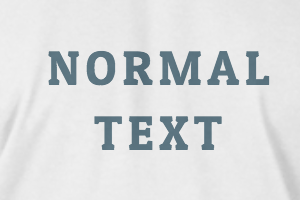
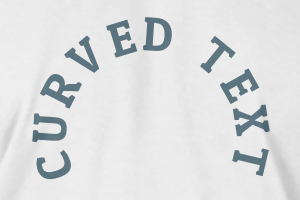
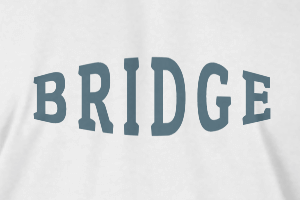
-
Radius
-
Spacing
-
Curve
-
Height
-
Offset
-
Trident
-
-
Text align
- Uppercase / Lowercase
- Font weight bold
- Text style italic
- Text underline
Please select a product to start designing